
Payment terminals are an essential part of modern business operations. Retail stores, restaurants, service providers, healthcare clinics, and many other organisations depend on these devices to accept credit cards, debit cards, contactless payments, and digital wallets. Customers expect transactions to be quick and convenient, but they also expect their financial information to remain protected throughout the payment process.
Unfortunately, payment terminals can attract criminals because they handle valuable card and transaction data. Fraud may involve physical tampering, stolen credentials, malicious software, dishonest employees, fake refunds, or attacks on connected networks. Even a small security weakness can lead to financial losses, interrupted operations, customer complaints, and damage to the reputation of a business.
Strong payment terminal security requires more than purchasing a modern card reader. Businesses must protect devices, networks, software, employee accounts, customer data, and daily payment procedures. Understanding the most common risks and adopting practical prevention measures can help organisations create a safer checkout environment without making transactions unnecessarily complicated.
Why Payment Terminal Security Matters
Every card transaction involves sensitive information moving between the customer’s card or device, the payment terminal, the payment processor, and the card network. Criminals may attempt to intercept or misuse this information at different stages of the process. The exact risk depends on the terminal, connection type, software setup, employee practices, and overall security environment.
A payment-related incident can be expensive for a business. Direct financial losses may come from fraudulent transactions, chargebacks, equipment replacement, investigation costs, and interrupted sales. Businesses may also face increased processing fees or additional compliance requirements after a serious incident.
Strong retail payment safety protects both the customer and the business. Customers are more likely to trust an organisation that uses professional equipment, handles cards carefully, and responds quickly to suspicious activity. Security therefore supports long-term relationships as well as immediate fraud reduction.
Common Types of Payment Terminal Fraud
Payment terminal fraud can take several forms. Some attacks target the physical device, while others target software, networks, employees, or business procedures. Criminals often look for the easiest weakness rather than using highly advanced methods.
One common form of fraud involves stolen card information. Criminals may try to capture card numbers, security codes, or personal identification numbers through tampered terminals or hidden devices. Other attacks involve unauthorised refunds, fake transactions, stolen employee login details, or manipulated payment records.
Effective POS fraud prevention begins with recognising that threats can come from both outside and inside the business. A secure terminal may still be misused if employee permissions are poorly managed or refund procedures are weak. Businesses therefore need a complete security approach rather than focusing on one device or one type of fraud.
Physical Tampering With Terminals
Payment terminals are often placed in areas that employees and customers can access easily. This convenience can also create an opportunity for tampering. A criminal may attempt to attach a skimming device, replace part of the terminal, damage a seal, install a hidden camera, or swap the original device with a modified one.
Physical changes are not always obvious. A fake attachment may be designed to match the appearance of the terminal, while a small camera may be hidden nearby to record PIN entry. Terminals in unattended or low-visibility areas may face greater risk.
Businesses should inspect devices regularly for loose parts, unusual attachments, broken seals, unfamiliar cables, or changes in appearance. Maintaining a record of approved terminal serial numbers and locations also makes unauthorised replacement easier to identify. These simple checks form an important part of payment terminal security.
The Risk of Card Skimming
Card skimming occurs when criminals use hidden equipment to capture information stored on a card. Skimmers may be attached to the card slot or placed inside a compromised device. In some cases, criminals combine skimming with hidden cameras or fake keypads to collect PIN information.
Chip cards have improved transaction security, but magnetic stripe information may still be targeted. Criminals may also exploit situations where a chip transaction fails and the terminal allows the customer to swipe the card instead.
Businesses should treat repeated chip failures or unusual terminal behaviour as possible warning signs. Staff should never encourage customers to bypass secure payment methods without understanding why the terminal is not working correctly.
Using secure payment terminals that support modern chip and contactless transactions reduces exposure, but regular inspection and staff awareness remain necessary.
Malware and Malicious Software
Payment terminals and POS systems are computers with specialised functions. Like other computers, they can be affected by malware if attackers gain access to the network, software, or administrative accounts.
Malware may capture transaction information, record keystrokes, change payment instructions, create hidden user accounts, or send data to criminals. It can enter through weak passwords, outdated software, infected devices, phishing emails, insecure remote access, or compromised third-party services.
Strong cybersecurity in POS requires regular software updates, secure system configuration, anti-malware protection where appropriate, and close control over who can install programs. Businesses should also remove unnecessary applications and services from payment systems because every unused feature can create another possible point of attack.
Weak Passwords and Shared Accounts
Employee and administrator accounts are common targets because they can provide access to refunds, reports, customer information, system settings, and payment functions. Weak passwords make it easier for criminals to enter a system without physically touching the terminal.
Shared accounts create another serious problem. If several employees use the same login, it becomes difficult to identify who completed a transaction or changed a setting. Shared credentials may also remain active after an employee leaves the organisation.
Every employee should have an individual account with permissions based on their job responsibilities. Passwords should be strong, unique, and changed whenever compromise is suspected. Multi-factor authentication should be used for administrative access when available.
These controls strengthen POS fraud prevention while creating better accountability for everyday payment activity.
Employee-Related Fraud Risks
Most employees are trustworthy, but businesses still need controls that reduce the opportunity for internal fraud. Employees may misuse access to issue unauthorised refunds, process fake returns, change prices, cancel transactions, copy card details, or manipulate cash and card records.
Poorly controlled employee access can also allow honest mistakes to go unnoticed. A staff member may select the wrong refund method or change a setting without understanding the effect.
Businesses should limit permissions according to role. High-risk actions such as large refunds, manual card entry, price overrides, and transaction cancellations may require manager approval. Reports should be reviewed for unusual patterns linked to specific employees, locations, or time periods.
Clear procedures protect the business without creating an atmosphere of distrust. They are a practical part of retail payment safety.
Fake Refunds and Return Fraud
Refunds are a common area of payment fraud because they move money out of the business. A dishonest employee may issue a refund to their own card or to someone working with them. A customer may also attempt to return stolen merchandise, use a fake receipt, or request a refund for an item purchased through another method.
Payment systems should connect refunds to the original transaction whenever possible. Businesses may also require manager approval for refunds above a certain amount or for refunds completed without a receipt.
Daily and weekly reports can identify unusual refund levels, repeated refunds to the same card, or activity completed outside normal hours. A sudden increase in refunds at one location or by one employee should be investigated.
Strong POS fraud prevention combines system controls with clear return policies and regular management review.
Manual Card Entry Risks
Manual card entry allows employees to type card details into the terminal when the physical card cannot be read or when a payment is taken remotely. Although this feature can be useful, it generally creates more risk than chip or contactless transactions.
A criminal may use stolen card information without possessing the actual card. Employees may also enter details incorrectly, creating disputes or failed transactions. Businesses may face higher chargeback risk because the card was not physically verified through a secure method.
Manual entry should be limited to approved situations. Employees should understand when it is allowed, what information must be verified, and whether additional authorisation is required.
Modern secure payment terminals can record how each payment was accepted, helping managers identify unusual levels of manually entered transactions.
Contactless Payment Security
Contactless payments allow customers to tap a card, phone, or wearable device near the terminal. These transactions are convenient and can reduce physical contact with shared equipment. They also use security features designed to protect payment information during the transaction.
However, contactless capability does not remove every risk. Criminals may still target compromised customer accounts, stolen devices, weak terminal settings, or connected POS systems. Businesses must ensure contactless functions are configured correctly and supported by approved payment technology.
Employees should know how to recognise successful transactions and should not assume a payment has been completed simply because a customer tapped a device. The terminal must show confirmation before the sale is finalised.
Including contactless controls within broader payment terminal security helps businesses provide convenience without ignoring verification.
Protecting the POS Network
Payment terminals often connect to local networks through Ethernet, Wi-Fi, or mobile data. If the network is poorly secured, attackers may use it to reach payment systems or intercept information.
Businesses should separate payment devices from public Wi-Fi, employee browsing networks, and other systems that do not need direct access. A customer connecting to guest Wi-Fi should not be placed on the same network as the checkout terminals.
Routers and network equipment should use strong passwords, current software, and secure settings. Default login details should always be changed. Remote administration should be limited and monitored carefully.
Network protection is a central part of cybersecurity in POS because even a modern terminal can become vulnerable when connected to an insecure environment.
The Dangers of Unsecured Wi-Fi
Wireless payment terminals provide flexibility, particularly in restaurants, events, mobile services, and large retail spaces. However, unsecured Wi-Fi can expose payment activity to unnecessary risk.
Weak encryption, shared passwords, outdated routers, and unknown connected devices may allow attackers to enter the network. Employees may also connect terminals to personal hotspots or public networks without approval when the main connection fails.
Businesses should use properly secured networks designed for business operations. Wireless passwords should be controlled and changed when necessary, while access should be limited to authorised devices.
Backup connections should be planned in advance rather than improvised during an outage. Reliable connectivity and secure configuration are both necessary for maintaining retail payment safety.
Outdated Software and Equipment
Older payment terminals may continue processing transactions even after they become difficult to secure. Unsupported devices may stop receiving software updates, security patches, or compatibility improvements.
Outdated systems are attractive targets because known weaknesses may already be understood by criminals. Businesses may also struggle to replace parts or receive technical support when older equipment fails.
Regular technology reviews help identify terminals that are approaching the end of their supported life. Owners should ask providers how long devices will receive updates and what upgrade options are available.
Replacing equipment before it becomes a serious risk is often less expensive than responding to a security incident. Reliable secure payment terminals should receive ongoing vendor support throughout their expected use.
Third-Party Vendor Risks
Payment systems often depend on several external companies, including processors, terminal providers, software developers, installers, and technical support firms. A weakness in one provider can affect many businesses.
Third parties may require remote access for maintenance or updates. If this access is not controlled properly, stolen vendor credentials could be used to enter the system. Businesses should understand who can access their payment environment and why.
Vendor agreements should describe security responsibilities, support procedures, software updates, and incident notification. Remote access should be enabled only when required and protected with strong authentication.
Good cybersecurity in POS includes reviewing third-party relationships rather than assuming every provider automatically follows the same security practices.
Phishing and Social Engineering
Not every payment attack begins with technology. Criminals often manipulate employees through phone calls, emails, messages, or in-person requests. They may pretend to represent the payment processor, terminal provider, bank, or technical support team.
The attacker may ask an employee to share a password, install software, reset a terminal, provide transaction information, or allow remote access. These requests can sound convincing, especially when they create urgency.
Employees should be trained to verify unexpected support requests through official contact details. Passwords, access codes, and card data should never be shared simply because someone claims to be a trusted provider.
Awareness training is one of the most affordable and effective forms of POS fraud prevention.
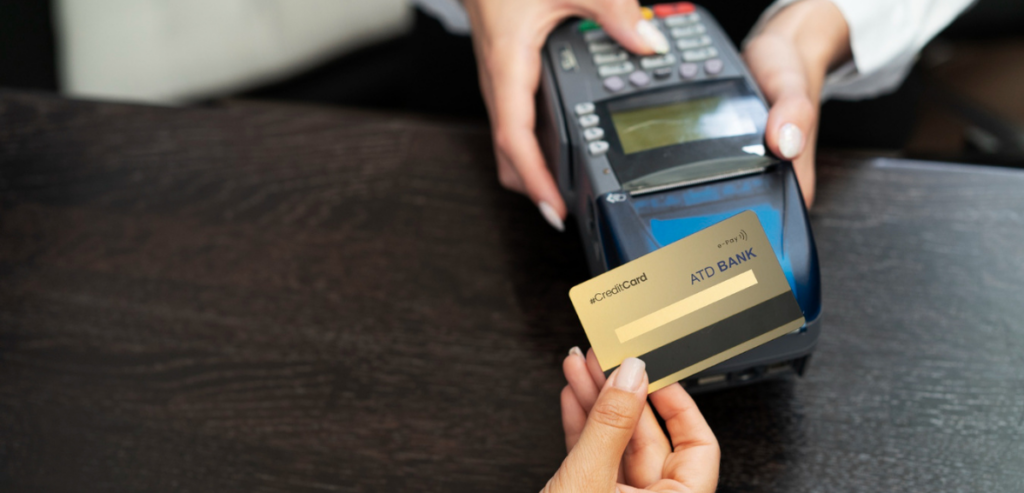
Protecting Customer PIN Entry
Customers should be able to enter their PIN privately. Poor terminal placement, hidden cameras, dishonest observation, or crowded checkout areas may expose sensitive information.
Terminals should be positioned so customers can use them comfortably without showing the keypad to employees or other shoppers. Privacy shields should remain attached and undamaged. Staff should never ask customers to say their PIN aloud or enter it on their behalf.
Employees should also watch for people standing unusually close to customers during payment. This may be innocent, but it can also be an attempt to observe PIN entry.
Thoughtful terminal placement improves retail payment safety while making customers feel more confident during checkout.
Monitoring Transaction Activity
Fraud is often easier to detect when businesses understand their normal transaction patterns. Sudden changes may indicate misuse, technical errors, or suspicious activity.
Management reports can reveal unusual refunds, repeated declined payments, frequent manual entries, high cancellation rates, transactions outside business hours, or repeated payments just below approval limits. Patterns should be reviewed by location, employee, terminal, and payment type.
Automated alerts may help larger businesses identify suspicious activity quickly. Smaller businesses can still perform regular reviews using reports provided by their payment system or processor.
Monitoring is an essential part of payment terminal security because prevention controls cannot stop every possible attempt. Early detection limits the damage when something unusual does occur.
Keeping Accurate Terminal Records
Businesses should maintain an inventory of every payment terminal they operate. The record may include the terminal model, serial number, location, assigned store, installation date, provider, and current status.
This information helps employees recognise whether a device belongs in a particular location. It also makes it easier to identify missing, replaced, or unauthorised equipment.
When a terminal is moved, repaired, replaced, or removed from service, the record should be updated. Old equipment should be returned or disposed of securely according to provider instructions.
Accurate asset records support secure payment terminals by ensuring that businesses know exactly which devices are authorised to process customer payments.
Training Employees to Inspect Devices
Employees who use payment terminals every day are often the first people who can notice changes. Training them to perform simple visual checks can prevent a tampered device from remaining active for long periods.
Staff should compare the terminal with approved reference images, check that seals and cables are intact, and report unfamiliar attachments or error messages. They should also understand that a device should not be opened, moved, or replaced by an unknown person.
Inspection routines may be completed when opening the store, changing shifts, or closing for the day. The process does not need to take long, but it should be consistent.
Employee participation strengthens retail payment safety because managers cannot personally inspect every terminal throughout the day.
Securing Remote Access
Technical providers may use remote access tools to support payment systems without visiting the business. This can make maintenance faster, but it also creates a possible entry point for attackers.
Remote access should not remain permanently open unless it is genuinely required. Accounts should use strong authentication, and activity should be logged where possible. Businesses should remove old vendor accounts and disable access when contracts end.
Employees should never install remote support software based only on a phone call or unexpected email. The request should be verified through an approved support channel.
Controlled remote access is a major part of cybersecurity in POS, especially for businesses with several locations or outsourced technical support.
Creating Clear Payment Procedures
Technology works best when supported by clear operating procedures. Employees should know how to handle declined cards, manual entry, refunds, voids, terminal errors, suspicious customers, and requests for technical support.
Written procedures reduce inconsistency between employees and locations. They also make training easier because staff can refer to an approved process instead of relying on memory or informal advice.
Managers should update procedures whenever equipment, software, policies, or fraud risks change. Employees should be informed clearly and given practical examples.
Strong procedures turn POS fraud prevention into an everyday business activity rather than a responsibility considered only after a problem occurs.
Limiting Access to Sensitive Functions
Not every employee needs access to every payment feature. A cashier may need to process sales and basic returns, while only supervisors should be able to change settings, issue large refunds, or view detailed reports.
Role-based permissions reduce the damage that can result from stolen credentials, employee mistakes, or intentional misuse. Permissions should be reviewed regularly as employees change roles or leave the business.
Administrative accounts should not be used for ordinary checkout activity. Using a higher level of access only when necessary reduces exposure and creates clearer records of important changes.
Access control supports both payment terminal security and efficient operations because employees see the tools required for their work without unnecessary complexity.
Responding to a Suspected Compromise
Businesses should have a plan for situations where a terminal appears tampered with, behaves strangely, or may have processed fraudulent transactions. Employees should know who to contact and what immediate steps to take.
A suspicious terminal should be removed from use without altering possible evidence. The business should contact its payment processor, terminal provider, security team, or other approved support partner. Depending on the situation, affected accounts, passwords, and systems may need to be protected quickly.
Records of suspicious transactions, device changes, employee observations, and support conversations should be preserved. Customers should not be given unconfirmed information, but communication should remain honest and organised.
A prepared response plan helps limit financial damage and supports faster recovery.
Learning From Security Incidents
After a security incident, businesses should review how it occurred and why existing controls did not prevent or detect it earlier. The goal is not only to identify responsibility but also to improve systems and procedures.
The review may reveal weak training, outdated equipment, excessive permissions, poor network separation, inadequate monitoring, or unclear vendor access. Corrective actions should address the underlying cause rather than only replacing the affected terminal.
Lessons should be shared with relevant employees and locations. A problem at one store may reveal a weakness that exists across the entire business.
Continuous improvement keeps secure payment terminals effective as threats, technology, and business operations change.
Balancing Security With Customer Convenience
Payment security should protect customers without making every transaction slow or difficult. Excessive checks can create long lines and frustration, while weak controls expose the business to fraud.
The best approach uses modern technology and clear procedures to make secure behaviour part of the normal checkout process. Chip and contactless payments, individual staff accounts, automated monitoring, and well-positioned terminals can improve security without requiring customers to take complicated steps.
Businesses should review customer feedback as well as fraud reports. A payment process that confuses customers may lead employees to use insecure shortcuts just to keep lines moving.
Good retail payment safety supports both protection and convenience rather than treating them as competing goals.
Reviewing Security Regularly
Payment security is not a one-time project. New fraud methods, software weaknesses, payment options, and business processes continue to appear.
Businesses should review terminals, employee access, vendor accounts, network settings, software updates, and transaction patterns regularly. Reviews should also take place after opening a new location, changing processors, installing new equipment, or experiencing suspicious activity.
Staff training should be refreshed so employees remember procedures and understand new risks. Old accounts, unsupported devices, and unused remote access tools should be removed promptly.
Regular reviews keep cybersecurity in POS aligned with the way the business actually operates rather than relying on outdated assumptions.
Building a Culture of Payment Security
Security becomes more effective when every employee understands that protecting payment information is part of their role. Staff should feel comfortable reporting suspicious devices, unusual transactions, or unexpected support requests without fear of blame.
Managers can support this culture by providing practical training, responding seriously to concerns, and following the same procedures expected from employees. Security reminders should be clear and relevant rather than overly technical.
Businesses should also explain why certain controls exist. Employees are more likely to follow procedures when they understand how those actions protect customers, coworkers, and the organisation.
A strong security culture supports long-term POS fraud prevention by turning awareness into a normal part of daily work.
Conclusion
Payment terminals allow businesses to accept fast and convenient payments, but they also create security responsibilities. Physical tampering, skimming, malware, weak passwords, internal fraud, insecure networks, fake refunds, and social engineering can all place payment information and business revenue at risk.
Effective payment terminal security requires a complete approach that protects devices, software, networks, employee accounts, and business procedures. Using secure payment terminals is an important starting point, but equipment must also receive updates, remain physically protected, and operate within a secure environment.
Strong cybersecurity in POS helps prevent attackers from reaching payment systems through networks, remote access, or stolen credentials. At the same time, practical POS fraud prevention controls such as role-based access, transaction monitoring, employee training, and refund approval reduce everyday risks. By treating retail payment safety as an ongoing responsibility, businesses can protect customers, reduce financial loss, and maintain trust at every checkout.